Quickstart
1. Sign in and open the Live Dashboard
Sign in to TraceFast (create an account if you don't have one — see Account & Security). You land on the Live Dashboard: a grid of widgets that update with every Ethereum block, about every 12 seconds.
The four cards on top show the pulse of the network — the latest block with a countdown to the next one, the ETH value it moved, its transaction count, and how many accounts it touched. Everything below aggregates over a short rolling window, so numbers reflect the last ~19 minutes of network activity, not all of history. See the Dashboard overview for a tour of every widget.
2. Look up an address
Press ⌘K (or click the search bar) and paste any address, transaction hash, or block number.
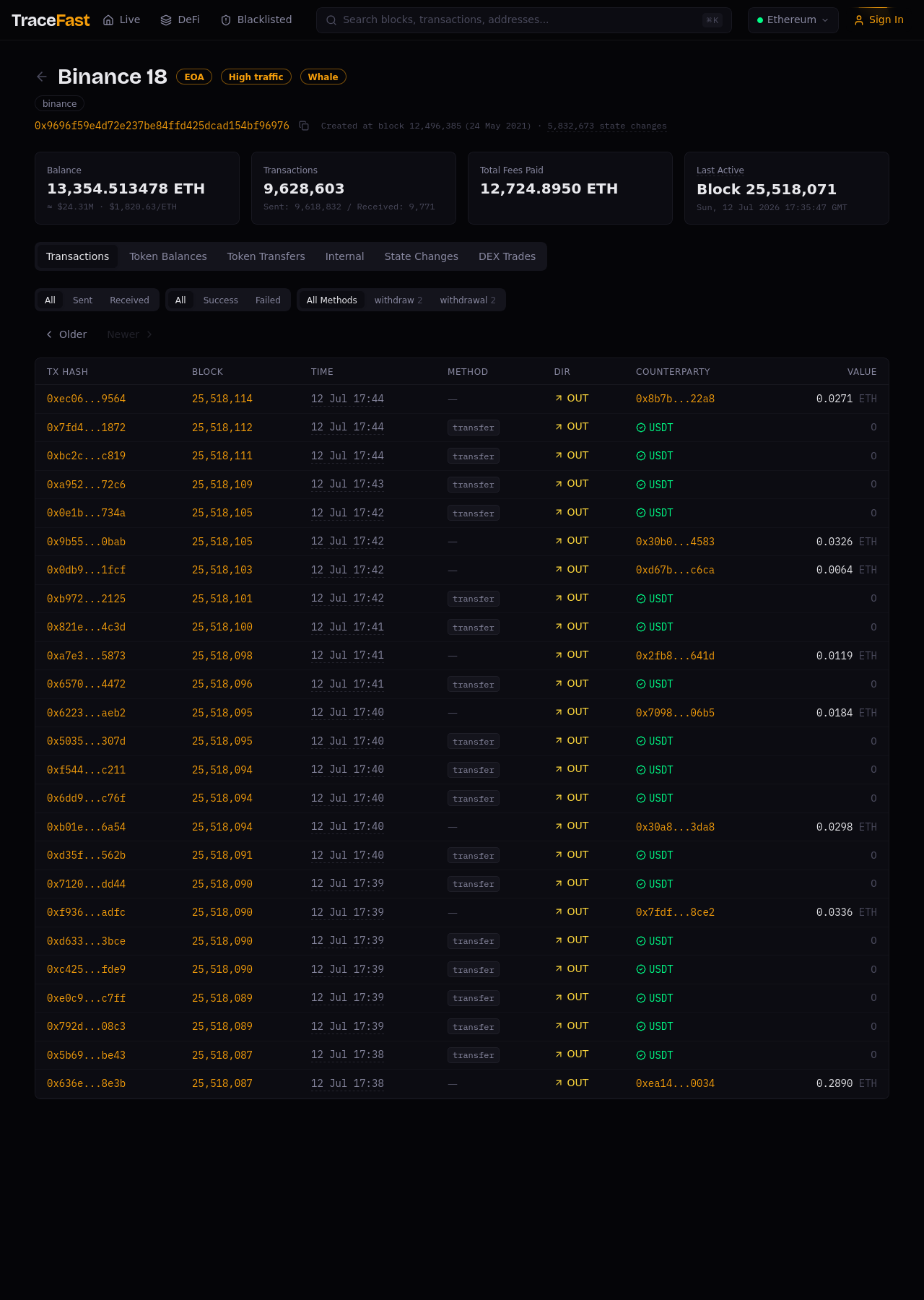
Try an address first. The address page shows its balance, transaction history, token balances and transfers — and, crucially, its labels: badges like EOA, Whale, or High traffic, and a name like Binance 18 when the address belongs to a known entity.
3. Follow the money
From any address, click a counterparty, a transaction hash, or a block number to keep moving through the graph. Or start from the dashboard itself: every address in ETH Flows, every pool in DEX Activity, and every contract in Top Contracts is a link into the Explorer.
Next steps
- Addresses & Labels — what the address page tells you
- DeFi Analytics — swaps, pools, and flash loans
- Labels & Entities — how labeling works